YouTube Niche Research Tool: What It Should Tell You (and How to Use One)
What a YouTube niche research tool should actually show you, the four questions every niche analysis must answer, free sources and their limits, and a step-by-step routine using real channel data.
· 9 min read · YT Outlier
Quick answer: A good YouTube niche research tool answers four questions with real channel data: are people watching, can new channels still break in, could it pay, and can you make 50+ videos about it. Lists of "best niches" can't answer those for you. Look at how channels in the niche are actually doing: their monthly views, subscribers, age, format and estimated earnings. YT Outlier's free Niche Finder puts those numbers side by side.
In this guide:
- What a niche research tool should tell you
- The four questions every niche analysis must answer
- Free sources you already have, and their limits
- How to research a YouTube niche step by step
- Reading the numbers without fooling yourself
- What a niche research tool can't do
- What YT Outlier shows for free
- FAQ
What a YouTube niche research tool should tell you
A list of "best niches" can't tell you whether a niche is open today, whether new channels are winning in it, or whether it fits the videos you can make.
A YouTube niche research tool is useful when it replaces guesses with numbers. At minimum, it should show you, for real channels in a niche:
- Monthly views, so you can see demand, not just total lifetime views.
- Subscribers, so you can compare views with audience size.
- Channel age, so you can tell whether newcomers are growing or only old channels are.
- Format: Shorts or long-form, faceless or on-camera.
- Country, because audience location changes both competition and earnings.
- Estimated earnings or RPM, clearly labelled as estimates.
If a tool only gives you keyword scores or topic names, you are still guessing whether channels like yours can grow there.
The four questions every YouTube niche analysis must answer
Whatever tool you use, a useful niche analysis comes down to four questions. If you can't answer one, keep researching.
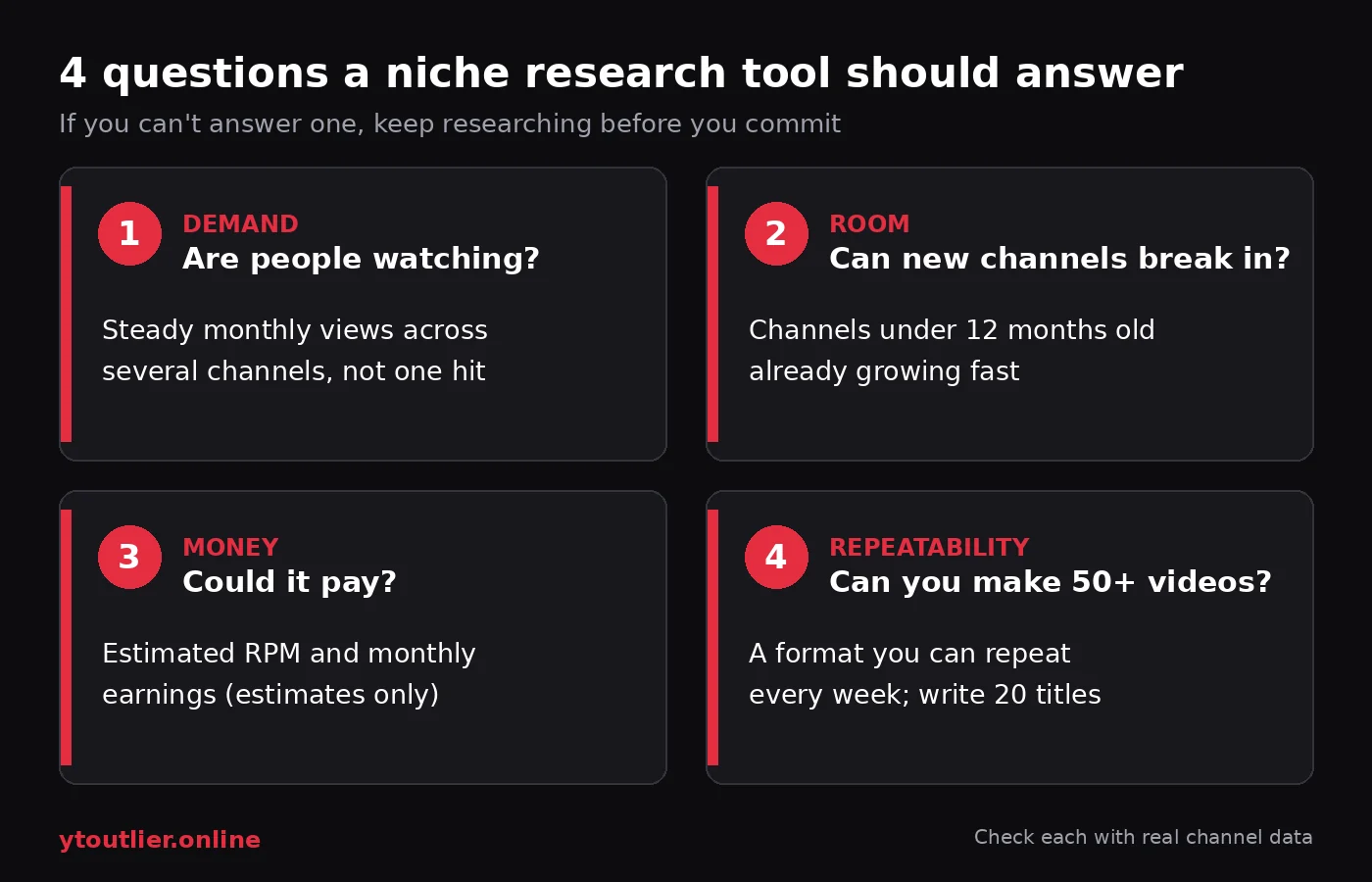
- Demand: are people watching? Look for several channels with steady monthly views, not one viral video. One hit proves interest in one video, not in a channel.
- Room: can new channels break in? The strongest signal is young channels that are already growing. YT Outlier calls a channel a breakout when it is under 12 months old, gets 50K+ views a month, and its monthly views are at least twice its subscriber count. Our guide to YouTube breakout channels explains why that ratio matters, and low competition YouTube niches covers how to tell an open niche from a crowded one.
- Money: could it pay? Ad revenue is roughly monthly views × RPM ÷ 1,000, where RPM is what a creator earns per 1,000 views after YouTube's share. Niches differ a lot here. See profitable YouTube niches in 2026 for how RPM changes by niche, format and audience.
- Repeatability: can you make 50+ videos? A niche you can't keep making videos for is no use, however good the numbers look. Write 20 video titles before deciding. If you get stuck at eight, the niche is too narrow or not for you.
Free sources you already have, and their limits
You don't need a paid tool to start. Three free sources are worth using:
- YouTube search and the channels it surfaces. Search your topic, open the channels behind the top results and look at their recent uploads. Slow, and you can't filter by age or growth, but it is real data.
- YouTube Studio's own research features. If you already have a channel, YouTube Studio offers research based on what viewers search for and watch. YouTube's Help Center describes the Trends tab (top searches over the last 28 days, breakout videos from similar creators and content gaps for Shorts) and notes an updated Studio experience rolling out gradually from July 2026, where research has moved to a new Research area. It is personalised to your audience, so it helps most once you have a channel.
- Google Trends with the YouTube Search filter. Good for seeing whether interest in a topic is seasonal, rising or fading. It shows relative interest, not how many channels compete or what they earn.
What these sources mostly don't give you is a side-by-side view of many channels in a niche, filtered by age, format, country and estimated earnings. That is the gap a dedicated YouTube niche research tool fills.
How to research a YouTube niche step by step
Here is a routine using YT Outlier's Niche Finder. It lists channels from a live pool with their subscribers, monthly views, estimated monthly earnings, estimated RPM, age, country and format, and lets you filter and sort on all of them.
- Scan the Trending niches strip. These chips rank niches by breakout momentum (young channels growing faster than their size suggests), not by raw total views, so they point to where newcomers are growing now rather than the biggest old categories.
- Run the Breakout channels preset. It shows channels under 12 months old with monthly views at least 2× their subscribers and 50K+ views a month, sorted by views ÷ subscribers. Note which niches keep appearing.
- Pick one niche and filter it. Choose the niche, then add filters one at a time: channel age (under 1 week, 1 month, 3 months, 6 months or 1 year), content type (Shorts, long-form or mixed), faceless or on-camera, country, subscribers, monthly views, revenue or RPM ranges, and a "likely monetized" estimate.
- Compare young and old channels. Sort by monthly views without an age filter, then sort by newest channels. If young channels sit near the top, there is room. If the top is all old giants and newcomers are far behind, it is crowded.
- Open similar channels. For a promising channel, open its similar channels (same niche, about 1/3× to 3× its subscribers, same content type when known). A group of peers growing together is a much stronger signal than one lucky channel.
- Check the money side. Sort by estimated RPM or earnings, or try the Market gap preset, which shows faceless formats estimated at $5K+ a month, highest RPM first.
- Analyze a few channels. Open the channels you found and look at which videos beat the channel's own median. Those topics show what viewers want. Our guide on how to find outlier YouTube videos walks through this.
- Check Shorts separately. If you plan Shorts, use Shorts Radar to see which Shorts channels are growing now.
If a filter combination returns nothing, the Niche Finder tells you which single filter to loosen. At the end, you should be able to fill in a simple scorecard like this one:
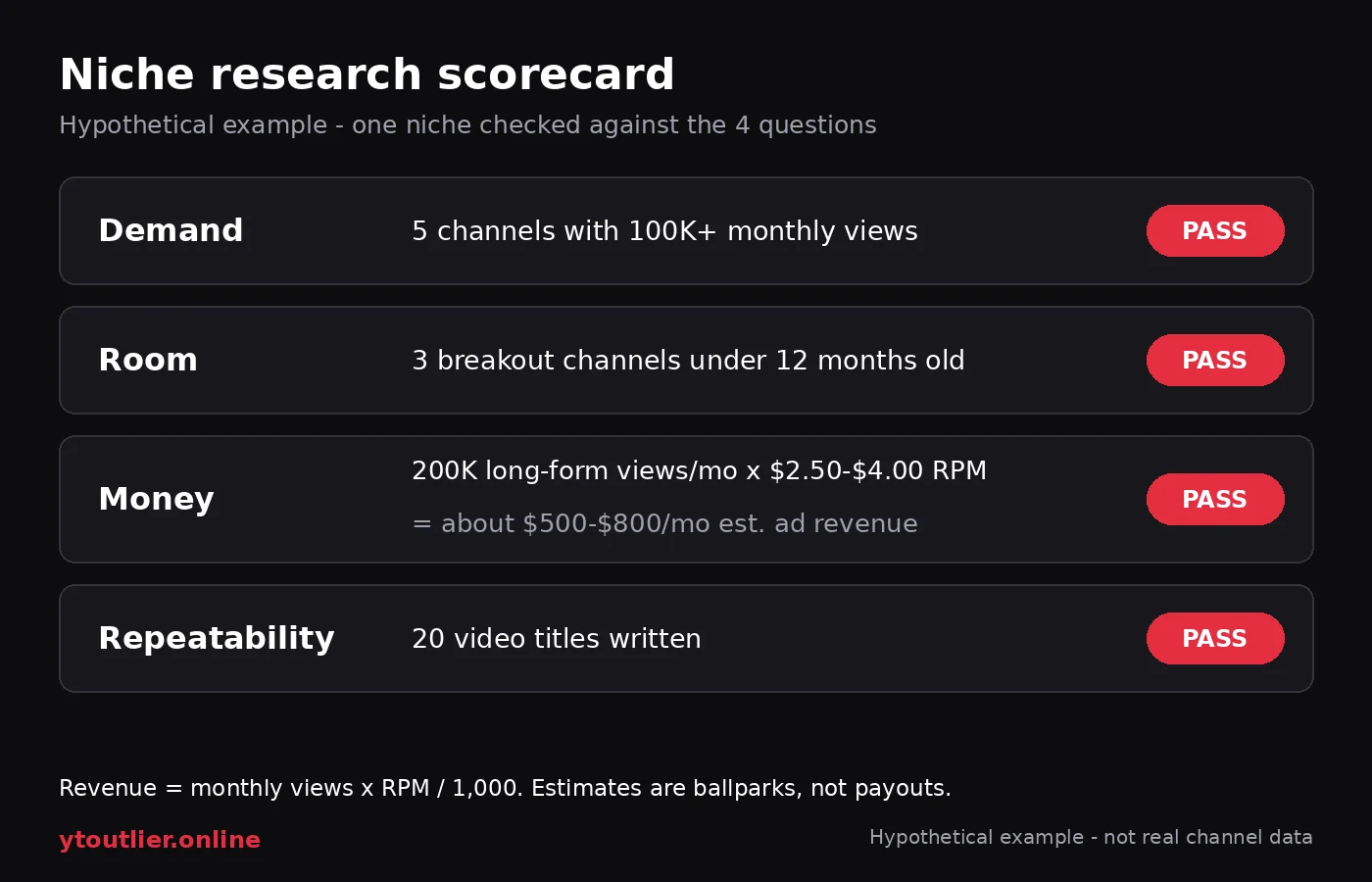
In this hypothetical example, the niche passes all four checks. The money line uses YT Outlier's long-form estimate band of $2.50–$4.00 per 1,000 views: 200,000 monthly views × $2.50 ÷ 1,000 = $500, and × $4.00 ÷ 1,000 = $800. A niche that fails one check isn't automatically out, but know which one you are betting against.
Reading the numbers without fooling yourself
- Monthly views beat total views. A channel with 50 million lifetime views may get very few today. Monthly views show current demand.
- Ratios beat raw size. A young channel whose monthly views are several times its subscribers is reaching new viewers. A huge channel with flat views tells you little about your chances.
- Earnings are ballparks. YT Outlier estimates use $2.50–$4.00 per 1,000 views for long-form (typical $3.20) and $0.04–$0.12 for Shorts, and the Niche Finder applies a niche × country model. Real RPM depends on the audience's country, the season, the Shorts mix and whether the channel is monetized. Sponsorships and memberships aren't included. The FAQ explains the method.
- Public counts are rounded. Subscriber and view counts come from public YouTube pages, which YouTube rounds and can delay.
- Shorts and long-form are different businesses. A niche can be crowded in Shorts and open in long-form, or the other way round. Filter by content type before comparing.
What a YouTube niche research tool can't do
No tool can tell you whether you will enjoy making the videos, or whether your videos will be better than what exists. It also can't guarantee monetization: to earn ad revenue you need to join the YouTube Partner Program, which requires 1,000 subscribers plus either 4,000 valid public watch hours in the last 12 months or 10 million valid public Shorts views in the last 90 days.
And research is for finding patterns, not copying channels. YouTube's monetization policies exclude mass-produced, repetitive and reused content without meaningful added value. Learn what works across several growing channels, then make original videos.
For the full process from interests to a chosen niche, see how to find a YouTube niche.
What YT Outlier shows for free
These details come from the current product and FAQ:
- An account is required. Free accounts see the scores (outlier multipliers, views per hour and earnings estimates) with trimmed lists: the first 3 uploads, 2 similar channels and 3 related keywords, plus 5 channel, topic or keyword searches per UTC day.
- Niche Finder: free visitors see 3 full channel rows, then locked placeholders. The Breakout channels and Market gap presets are on the page.
- Shorts Radar: free visitors see the first 3 rows.
- Pro and Pro+ unlock the full lists and the AI tools (AI playbook, script outlines and Studio remakes). Pro+ adds a higher monthly AI allowance and CSV and Markdown exports. Every paid plan starts with a 3-day free trial (card required), then $19/mo for Pro or $29/mo for Pro+, cancel anytime (USD prices; see pricing for your currency).
YT Outlier is not affiliated with YouTube or Google.
Create a free account to start researching your niche with real channel data.
Frequently asked questions
What is a YouTube niche research tool?
It is a tool that shows how real channels in a niche are performing, such as monthly views, subscribers, channel age, format and estimated earnings, so you can judge demand, competition and earning potential with data instead of guessing from a list.
How do I research a YouTube niche?
Answer four questions: are people watching (steady monthly views across several channels), can new channels break in (young channels growing fast), could it pay (estimated RPM and earnings), and can you make 50+ videos about it. Check each with real channel data before you commit.
Is there a free YouTube niche research tool?
Yes. YouTube search, YouTube Studio's research features (if you have a channel) and Google Trends are free. A free YT Outlier account also shows 3 full Niche Finder rows with the Breakout channels and Market gap presets, the first 3 Shorts Radar rows, and 5 searches per UTC day.
What should a YouTube niche analysis include?
Monthly views, subscribers, the ratio between them, channel age, Shorts or long-form format, faceless or on-camera, audience country and estimated earnings. Comparing young and old channels on these numbers shows whether a niche still has room.
Are YouTube earnings estimates accurate?
They are ballparks. They multiply estimated monthly views by an RPM band, but real RPM depends on audience country, season, format and whether a channel is monetized, and estimates don't include sponsorships or memberships. Use them to compare niches, not to predict income.